


Einkaufswagen
0




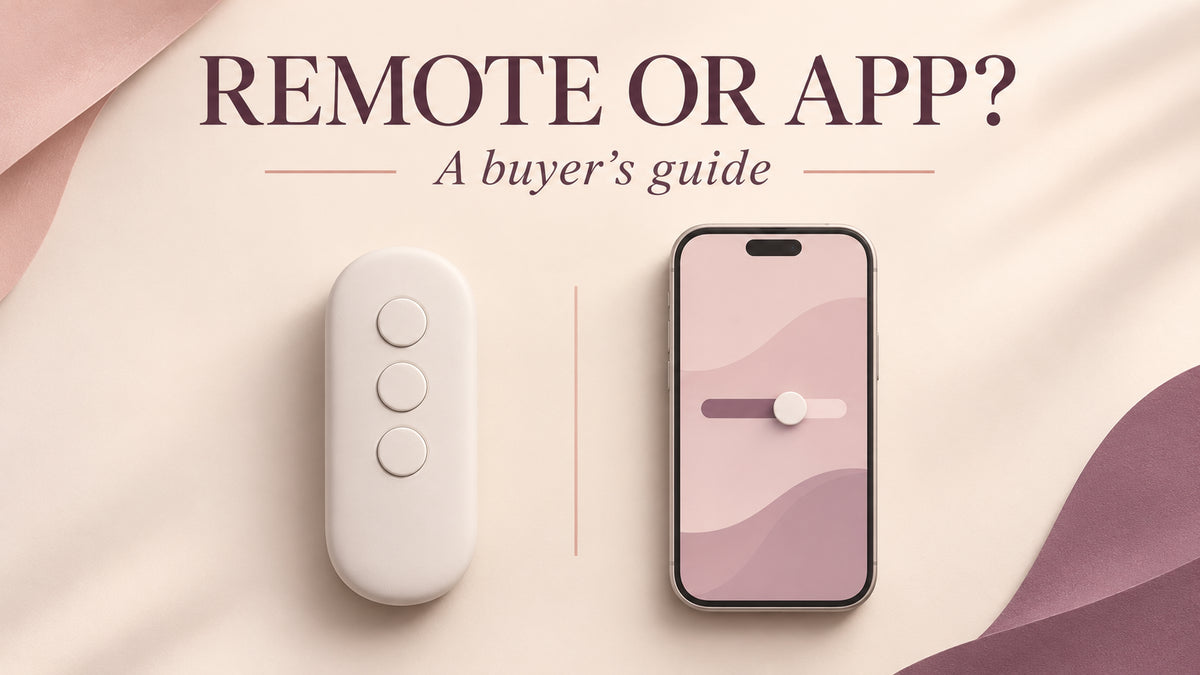
Buying a remote control vibrator? First check whether “remote” means a handheld controller, a phone beside the toy, or a partner connecting over the internet. These are different capabilities. A product can offer one, two or all three.
This guide helps you choose a control system before comparing individual models. It uses published product information and manufacturer documentation. We have not measured connection range, latency or noise.
Start with where your partner will be
- In the same room: an included handheld remote can be convenient if you want physical buttons and prefer leaving your phone aside. Check the controller is actually included.
- Nearby, with your phone: Bluetooth app control may offer a useful control screen. Check which settings the app exposes for your exact model.
- In another city: choose a model whose current app explicitly supports internet partner control. A Bluetooth connection alone cannot bridge that distance.
Decide on external, internal or wearable stimulation separately. The controller describes how you change settings, not where a toy makes contact or whether its shape will suit you.
What to check on the product page
| Purchase question | Handheld remote | Phone app |
|---|---|---|
| What equipment do I need? | The toy and its compatible controller, with batteries or charging as specified. | A compatible phone and the correct current app, plus a charged toy. |
| Can a partner use it from another city? | A standalone short-range controller does not provide internet control. | Only when the model and app support internet partner access. |
| Can I leave my phone aside? | Usually for remote-button operation. Confirm the model's setup requirements. | Not while relying on the phone for app control. |
| How do I select settings? | Check the button layout, including whether settings cycle in one direction. | Check the available controls for that model rather than assuming every app feature works. |
| What if the controller disconnects? | Read the instructions for the toy's own stop control. | Check on-device stopping and reconnection instructions before sharing access. |
How internet control actually reaches the toy
The phone beside the toy provides the local Bluetooth connection. A distant partner sends commands through a supported internet service to that phone. The toy still needs to remain within its local connection range. Moving the partner farther away does not increase the Bluetooth range around the wearer.
Lovense describes this distinction in its remote control vibrator guide. Range and responsiveness depend on the device, surroundings and connection. We do not promise a particular distance or uninterrupted operation.

Which app should a SVAKOM buyer check?
Use the manufacturer's current instructions for the exact model and version. SVAKOM currently provides information for both the SVAKOM App and KooSync. Older retailer pages may still mention FeelConnect, so an old app name is a reason to verify compatibility before ordering.
The official SVAKOM manual library distinguishes its app options. Its KooSync page covers connection requirements and notes that calls, background restrictions and Bluetooth interference can affect a connection. Do not assume all advertised app modes are available on every toy.
Two LuxZena app-listed options to investigate
These are current catalog examples, not a tested ranking. Prices checked November 19, 2026, in USD. Confirm the model's current app compatibility if internet partner control is essential to your purchase.
- SVAKOM Finger Play Master — $50.90: listed with app control and ten vibration settings. Compare its form and controls with your intended use. The listing contains inconsistent size figures, so ask us to confirm dimensions before buying if fit is a deciding factor.
- SVAKOM Phoenix Neo — $65.90: listed as a wearable app-controlled model with eleven vibration settings. This listing is for Phoenix Neo, not Phoenix Neo 2. Check the exact version rather than applying another generation's specifications.

Neither the word “remote” nor an app listing proves a separate handheld controller is included. Check package contents. For a brand-level comparison, continue to our SVAKOM vs. Lovense guide.
Compare the delivered price
Under the current U.S. standard shipping policy, an order below $69 adds $10 shipping. Ordered individually without discounts, Finger Play Master is therefore $60.90 and Phoenix Neo $75.90 before any applicable taxes. Eligible orders at $69 or more receive free standard shipping. Confirm the final checkout total and read the shipping policy for your destination.
Include processing and transit time when buying for a planned date. An extra accessory is useful only if you want it and the final basket makes sense for your budget.
Questions worth answering before you order
Does app-controlled always mean long-distance?
No. Look for explicit internet partner-control support for the exact model. Local phone control alone is insufficient.
Can I use an app-controlled vibrator without the app?
Some models have on-device controls, but available settings vary. Check the manual for standalone operation and stopping instructions.
Is an app-controlled model quieter or more comfortable?
The control method does not establish either. Look for model-specific evidence about noise, dimensions and design. We have not tested those characteristics for this comparison.
What should I check about sharing control?
Read how invitations work, how to revoke access and which permissions the app requests. Both partners should agree on control and know how to stop the device.
Your next step: choose your required control distance, then compare the exact model, app support, package contents and delivered price. If any of those details are unclear, ask LuxZena before ordering.

